In this article
- Does Shopify have built-in server-side tracking?
- Why Shopify constrains how you do this
- Which server-side setup should you use?
- How to set up a server container on Shopify
- Deduplicate, or double-count everything
- How to verify it worked
- What it costs to run
- How TrueTracked does this on Shopify
- Where this leaves you
- Sources
You run a Shopify store, your Meta purchase count does not match your order count, and every fix you have been offered is called server-side tracking. The quotes range from about $50 a month for an app to a five-figure implementation, and the pitches all name the same three villains: ad blockers, iOS and cookie limits.
The confusing part is that they describe genuinely different products. A hosted server container, a Shopify app that reads your orders, and a full attribution platform are not the same purchase, even though the category name is.
They do share a shape. Each puts a collection point on a domain you control, feeds it from the two sources a Shopify store can produce, and delivers from there. Once you can see that shape, choosing between them is short work.
Does Shopify have built-in server-side tracking?
Not really, and it is worth settling before you plan anything.
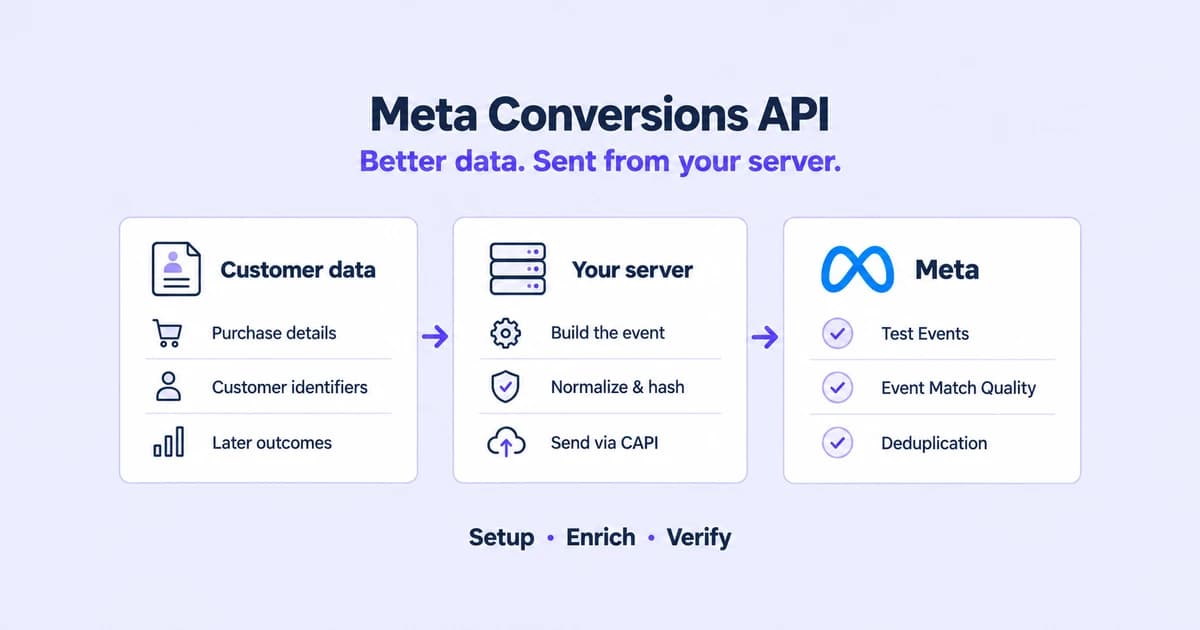
Shopify's Meta data sharing setting does send some data server to server. Shopify's own data sharing documentation states that "the Conversions API sends the purchase event between Shopify and Facebook servers". That is one event, to one destination.
Three things it does not do, and they are why a store still needs something else.
No domain of yours is involved. The server call originates from Shopify's infrastructure, not from a subdomain of your store. Nothing about it makes your storefront requests first-party, so the cookie and identifier problems that cost you matches are untouched. First-party tracking covers why that classification is the thing that matters.
Earlier events still ride the browser. Page views, product views, add to cart and checkout started reach Meta through the pixel, subject to every browser restriction.
Google gets nothing equivalent. Shopify documents a Conversions API path for Meta. Its Google and YouTube channel documentation describes no server-side path at all, and TikTok and Microsoft Ads are outside these settings entirely.
Why Shopify constrains how you do this
You cannot add a tracking script to checkout through theme code any more. Shopify's tracking surface is the Web Pixels API, and its documentation is explicit about the isolation. App pixels "are loaded in a strict sandbox", while "Custom Pixels are loaded within a lax sandbox".
Shopify's merchant-facing page states the practical consequence. Custom pixels let you "track customer events without having to modify your theme code", and "not all pixel functionality works in the sandbox".
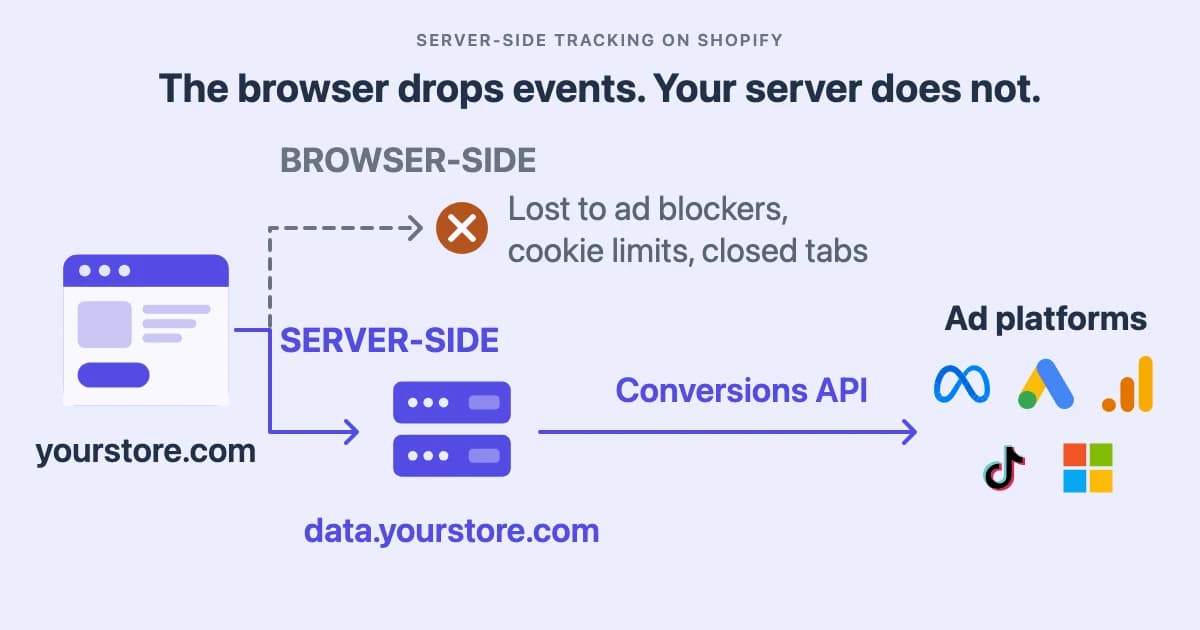
So a Shopify store has exactly two taps worth using. The first is Customer Events, which runs in that sandbox in the visitor's browser and sees the funnel. The second is your order data, which Shopify sends from its own servers through the orders/create webhook topic when an order is created, with no browser involved at any point.
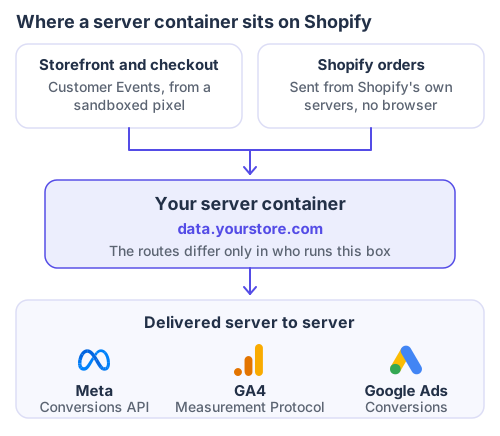
Every route below builds this same picture. They differ only in who operates the middle box.
Which server-side setup should you use?
| Route | Who runs the server | What it adds beyond routing | Choose it when |
|---|---|---|---|
| Self-hosted server container | You, on Google Cloud | Nothing by itself. It routes what you feed it | You have engineering time and want full control of the infrastructure |
| Hosted container (Stape, TAGGRS and similar) | The provider, on your subdomain | The same routing, without you operating it | You want the container and not the operations work |
| An order-based tracking app | The vendor | Orders as your admin recorded them, independent of the browser | You mainly need reliable purchase and order delivery rather than full-session attribution |
| A managed attribution platform | The vendor | Both taps joined, plus identity stitching across sessions | You want the funnel and the order in one matched event |
The first two are the same product with different operators. A container forwards what you feed it, so if the only thing feeding it is the browser, you have moved the request and improved its classification. That is real, and bounded. The wider argument is in server-side tracking.
How to set up a server container on Shopify
This is the server-side Google Tag Manager route, the one the setup guides ranking for this query describe.
- Create a server container in Google Tag Manager, alongside your existing web container.
- Host it. Google's manual setup guide offers Cloud Run, App Engine or Docker anywhere, and requires a preview server plus a tagging cluster. A hosted provider does this step for you.
- Map a subdomain of your store, such as
data.yourstore.com. Google's guidance is to "host your tagging server in the same origin (best practice) or as a subdomain of your current website". This is the step that makes the requests first-party, and skipping it removes most of the benefit. - Set the server container URL in Tag Manager under Admin, Container Settings, so the web container knows where to send.
- Connect Shopify's Customer Events through a custom pixel in your Shopify admin, pointing at that subdomain.
- Add your destination tags in the server container. Each one needs its own credential and matches on its own identifier, which is the table below.
- Feed it your orders too, if the route you chose supports it. A container fed only by the browser cannot report an order the browser never saw.
- Set a shared event ID on every event that also fires in the browser, before you send anything to production.
Step 3 and step 8 are the two that get skipped, and they are the two that decide whether the project was worth doing.
| Destination | How it receives the event | Credential to have ready | What it matches on |
|---|---|---|---|
| Meta | Conversions API | Dataset ID and access token | fbc and fbp, plus hashed email and phone |
| GA4 | Measurement Protocol | Measurement ID and API secret | client_id, or user_id where you set one |
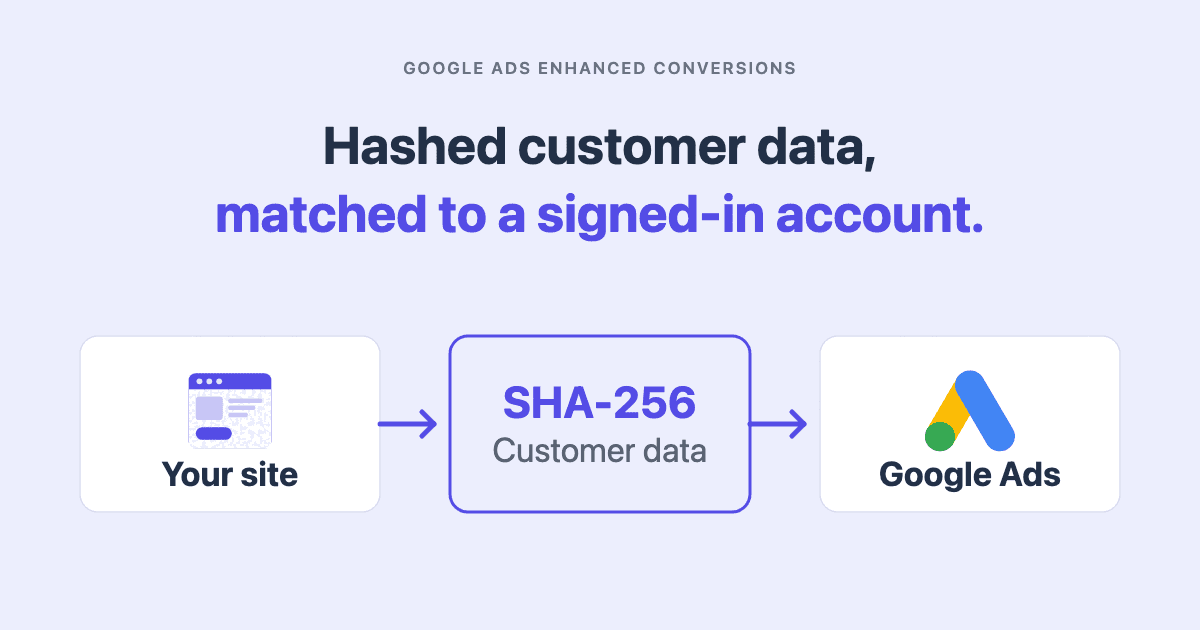
| Google Ads | Conversion tag in the container | Conversion ID and label | gclid, or hashed email for enhanced conversions |
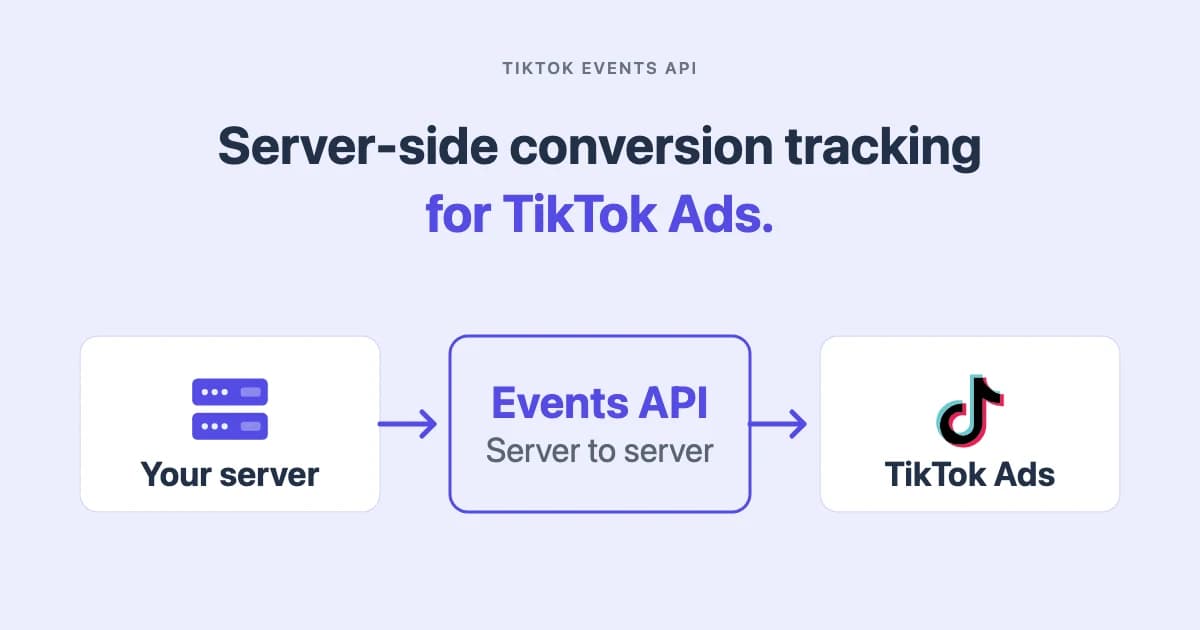
| TikTok | Events API | Pixel code and access token | ttclid, plus hashed email |
| Microsoft Ads | Offline conversion import | Account access, uploaded in batches | msclkid |
Every row in that last column is a value the browser has to capture on arrival. If nothing stores the click identifier when the visitor lands, no server-side setup recovers it later.
Deduplicate, or double-count everything
Both the browser pixel and the server event fire for the same purchase. The platform has to recognise them as one.
Meta's deduplication documentation specifies that the pixel's eventID must match the server event's event_id, and that both must use the same event name. It adds a constraint most implementations miss: events are deduplicated only if they arrive within 48 hours of the first event carrying that ID.
The common failure on Shopify is two senders rather than one bad ID. Shopify's own integration generates its own IDs, and a new app generates different ones for the same order. Meta has no basis to connect them, so it counts the order twice and reports no error.
A merchant in the r/FacebookAds thread that ranks third for this query describes the outcome. "I had installed server side but the event ids not matching and inflated my purchase data by a lot."
Send purchases to a given platform from one integration at a time. If you add a tool, turn Shopify's data sharing down in the same change, then verify in Events Manager before trusting anything.
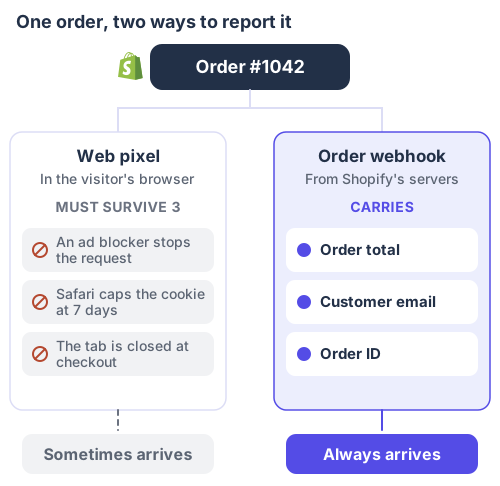
Both describe the same order. Only one of them has to survive the visitor's browser to arrive.
How to verify it worked
Take a week that closed at least seven days ago, so attribution has settled, and read three counts for the same period. The figures below are a composite. The amounts are constructed. The arithmetic is the point.
| What you count | Where you read it | September 1 to 7 | What the number answers |
|---|---|---|---|
| Orders | Shopify admin, Orders | 318 | How many orders your business actually took |
| Purchase events received | Events Manager, your dataset | 291 | How many of them reached Meta at all |
| Purchases attributed | Ads Manager, same date range | 204 | How many Meta claims its ads caused |
| Delivery gap | Orders minus events received | 27, or 8.5% | A fault you can fix |
| Attribution gap | Events received minus attributed | 87, or 29.9% | Not a fault at all |
The delivery gap is what a server-side setup closes. The attribution gap is Meta declining to claim orders it saw no qualifying ad interaction for, and no integration closes it. Reading the second as a fault is how a store buys tooling to fix a number that was never broken. Why your ad platform ROAS is wrong covers that distinction.
Run the three counts again a fortnight after the change. The delivery gap should have narrowed. The attribution gap will not, and should not.
The mechanism here is identical for a lead generation, SaaS or service business. The conversion object changes from an order to a booked call or a trial, and nothing else in this article does.
What it costs to run
Three costs, and only the first is usually budgeted.
Infrastructure. A container on Google Cloud, or a hosted plan. Any figure quoted here would be stale before you read it. Check the provider's current pricing page rather than a blog post, this one included.
The subdomain and its certificate. A DNS record and a TLS certificate, and the part that makes requests first-party.
Ongoing verification. Platforms change API versions, and Shopify changes its checkout. A server-side setup fails quietly, because the requests keep succeeding while carrying less. The setup is a week. The verification is permanent.
How TrueTracked does this on Shopify
TrueTracked installs from the Shopify App Store and covers both taps rather than one, so there is no separate container to operate.
Both sources, joined. Tracking on your storefront and checkout captures the session. Orders come from Shopify directly, so a conversion does not depend on the visitor's browser being there to report it.
Identity stitching. Click identifiers are captured on arrival, including gclid, fbclid, ttclid and msclkid, and stored against the session. When an order arrives later, it is matched back to the visit that led to it, and those identifiers travel with the conversion. That allows a purchase to be matched with click context captured during earlier sessions, even when that context is not available directly in the Shopify order record.
Longer-lived cookies for remarketing. With a verified custom tracking domain, TrueTracked sets _fbp and _fbc through server response headers and refreshes valid values on later visits. A longer-lived identifier can increase the period during which a returning visitor may still be recognised and matched. It is a configured expiry rather than a guarantee, because browser restrictions and deletion still apply.
Delivery to every platform in the table above. Meta through the Conversions API and TikTok through the Events API, both carrying the same event ID as the browser event so the platform pairs them instead of counting two. GA4 through the Measurement Protocol. Microsoft Ads through offline conversion import, with the msclkid resolved from stored session history. Google Ads conversions ride a server-side container rather than a payload TrueTracked builds itself, which is a real difference and worth naming rather than blurring into the list.
The limit worth stating plainly: refunds are not propagated back to the ad platforms, so a month with heavy returns will read high on every platform, this one included. TrueSignal is the page that shows the rest of it, and the Meta Conversions API guide covers what those events carry.
Where this leaves you
Shopify gives you useful browser-side customer events and server-side order data, but not a complete first-party server-side tracking layer.
Most server-side tracking solutions add that missing layer in different ways. The important differences are who operates it, which data sources it receives, and whether it can connect browser sessions with confirmed orders.
Then measure the delivery gap before and after. It is the only number that tells you whether the thing you bought did what it said.
Sources
- Facebook data sharing, Shopify Help Center, for the Conversions API sending the purchase event between Shopify and Facebook servers
- Google & YouTube, Shopify Help Center, which documents no server-side conversion path for the channel
- Custom pixels, Shopify Help Center, for the Lax sandbox and for tracking customer events without modifying theme code
- Web Pixels API, Shopify developer documentation, for the strict and lax sandbox distinction between app and custom pixels
- Webhooks, Shopify developer documentation, for the
orders/createtopic and server-to-server delivery - Manual setup guide for server-side tagging, Google, for the hosting options and the same-origin or subdomain guidance
- An introduction to server-side tagging, Google Tag Manager developer documentation, for the server container as a routing layer
- Handling duplicate pixel and Conversions API events, Meta for Developers, for the
event_idmatching rule and the 48-hour deduplication window - Is server-side tracking really necessary for a Shopify store?, r/FacebookAds, for the merchant account of mismatched event IDs inflating purchase data
- Full third-party cookie blocking and more, WebKit, for Safari's seven-day cap on cookies written by JavaScript
All ten sources checked September 2026.
Frequently asked questions
About the author

Founder of TrueTracked · Tracking, Attribution and Paid Ads Specialist
Seven years implementing conversion tracking and attribution for businesses running paid ads, most of it fixing measurement that was already broken.